
BrixelAI is not just another vibe coding tool.
While other platforms focus on lightweight coding experiences, BrixelAI is a full vibe application platform – designed to build robust, secure, and scalable systems that meet real-world demands.
It enables professionals to create high-quality applications with intuitive interfaces, seamless data integration, and easy maintenance – all within a browser-based environment.
Vibe coding is part of the experience, but it’s not the core.
BrixelAI is built for those who want to create complete solutions – not just write code.
BrixelAI is an innovative platform for information management, enabling the creation of flexible, intelligent, and accessible systems – directly in the browser.
It combines the simplicity of a spreadsheet, the ease of WhatsApp-style communication, and the power of professional development tools – including smart components, seamless integration with existing data sources, and AI agents.
BrixelAI is especially suited for ad-hoc tasks in large organizations – such as organizing events, collecting data from employees or suppliers, or managing internal workflows – where no built-in solution exists, but the need is real.

In large organizations, ad-hoc tasks that require structured information management occur daily – such as organizing events, collecting data, coordinating between departments, or running internal workflows.
These tasks often fall outside the scope of existing systems, leading teams to rely on spreadsheets, forms, emails, and messaging apps – resulting in fragmented processes, scattered data, and difficulty collaborating with external users or adapting to changing needs.
BrixelAI is being developed to empower the person responsible for the task to create a smart, precise, and accessible workflow – tailored to the mission at hand.
While the platform is especially suited for ad-hoc operations, it can also support ongoing processes, internal systems, or custom solutions across industries and scales.


BrixelAI offers a desktop-style experience inspired by familiar tools like Windows, Excel, and WhatsApp – making it instantly intuitive for users across all levels.
Collect complex information from customers, employees, or suppliers through a simple, inviting interface – no training required.
External users are guided step-by-step through tasks using a WhatsApp-style interface, supported by AI agents tailored to their needs.
BrixelAI provides built-in support for common data types such as addresses, dates, and phone numbers.
For example, address fields can be enhanced with Google Maps integration for input, display, and validation – making data entry faster, more accurate, and user-friendly.
Easily connect BrixelAI to your organization's current databases – no manual data transfer needed.
AI agents are available throughout the system to help with tasks, especially when customizing components or workflows.
Built to handle large volumes of records efficiently – with advanced filtering, search, processing, and export capabilities.
Includes secure authentication, user grouping, and granular permission control for teams and organizations.
Every action – add, update, delete – is automatically tracked and logged by user and timestamp.
Customize anything – from simple field validations to full UI control.
You can add targeted code to specific events or components, or build entire interfaces from scratch.
The UI is based on standard HTML, giving developers full flexibility and compatibility.
Customizations can be made manually by developers or assisted by AI agents.
BrixelAI is built on a unique technological foundation that enables something most platforms can’t:
a standard HTML interface, real-time server-side logic, and seamless synchronization between browser and backend – without the need to develop separate client-side and server-side code.
This breakthrough allows users to build powerful, customized workflows with the simplicity of a form and the flexibility of a full system.
It’s not just a new tool – it’s a new way to think about building systems.

All data presented on this page, including company names, employees, and participants, is fictional and provided solely for demonstration purposes. Any resemblance to real entities is purely coincidental.
HelioGrid Technologies , based in Mountain View, California — a leading company in renewable energy solutions — wishes to take its 2,000 employees and their families on a long weekend retreat in Santa Cruz.
Due to the large number of participants, the retreat will be divided into three separate cycles.
The task of planning and organizing the retreat has been assigned to the Human Resources (HR) department.
This page demonstrates how BrixelAI helps the HR team manage the event efficiently, quickly, and with minimal effort.
Data Organization Tailored to Needs
Manage information flexibly and conveniently — like Excel, but with full database capabilities.
Designed to reduce manual work and keep all event data perfectly structured.
Dedicated Event Website
A fully branded event portal tailored to your organization’s identity.
It includes a personal area for each participant, displaying their details, cycle assignment, real‑time updates, and more.
You can view a live example of such an event portal here
.
Friendly Data Collection from Participants
External forms, registration flows, room and activity selection — all through a simple, intuitive, mobile‑friendly interface.
Built to minimize friction and ensure high completion rates.
Communication with Participants in WhatsApp Style
Free‑form conversations, system messages, and real‑time updates — including an AI agent that assists with answering questions.
Keeps participants engaged and reduces the load on HR teams.
Smart Alerts
Notifications about changes in the employee roster, logistical issues, missing data, and more.
Ensures nothing falls through the cracks during event preparation.
An HR employee, assigned to organize the retreat, opens BrixelAI in the browser and sees the system’s initial screen.
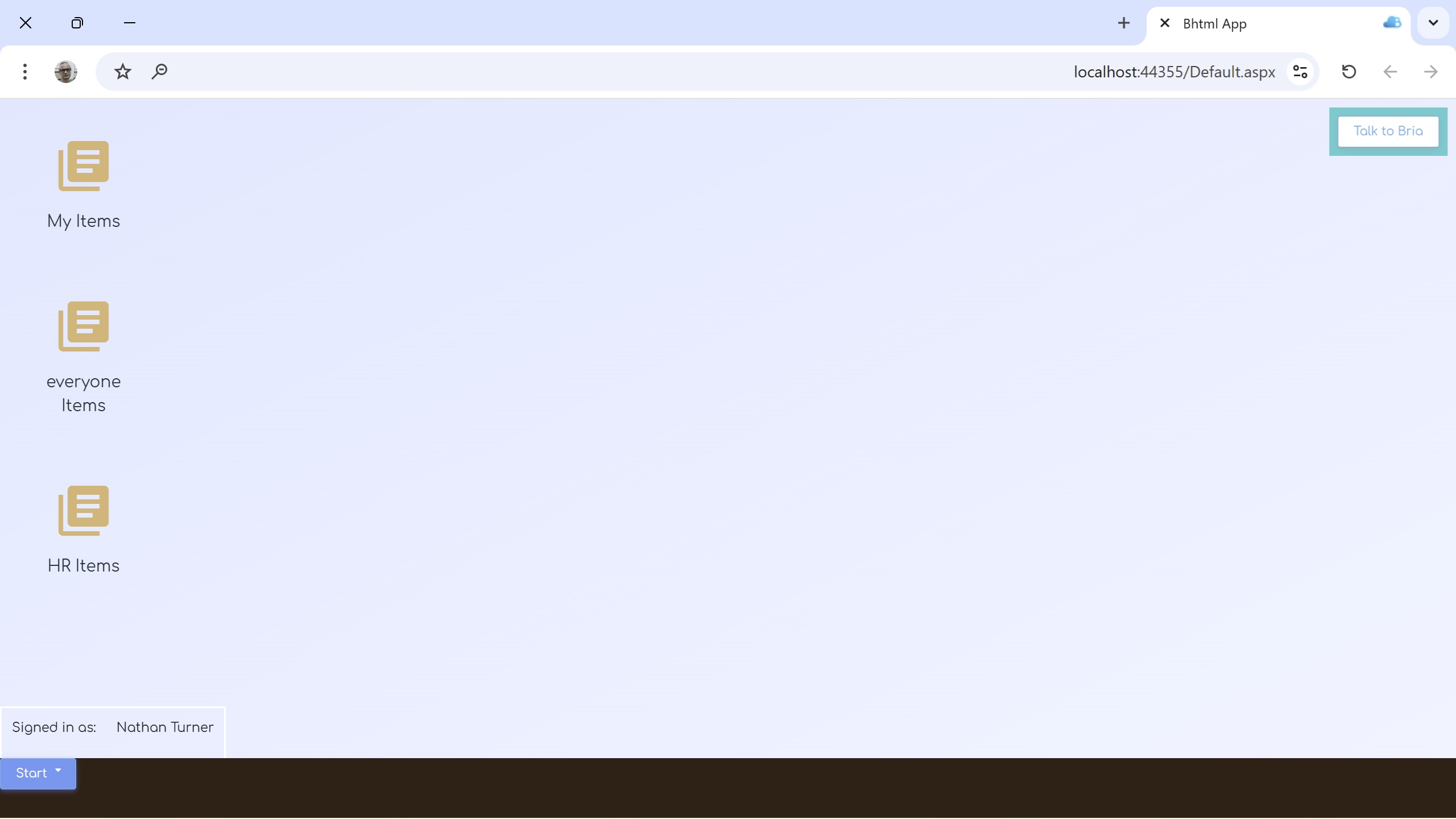
At HelioGrid, BrixelAI was installed by the IT department and connected to organizational systems.
Therefore, the system automatically recognizes the employee, their role, and their permissions.
The employee receives a desktop with three main folders:
The employee can create additional folders and configure permissions as needed.
At the top right, the “Talk to Bria” button appears — Bria is BrixelAI’s internal AI agent, capable of performing actions, answering questions, and assisting with workflows.
Opening the HR Items folder displays the employee table, sourced directly from the organizational HR system.
The table shows all employee data, synchronized online with the HR system.
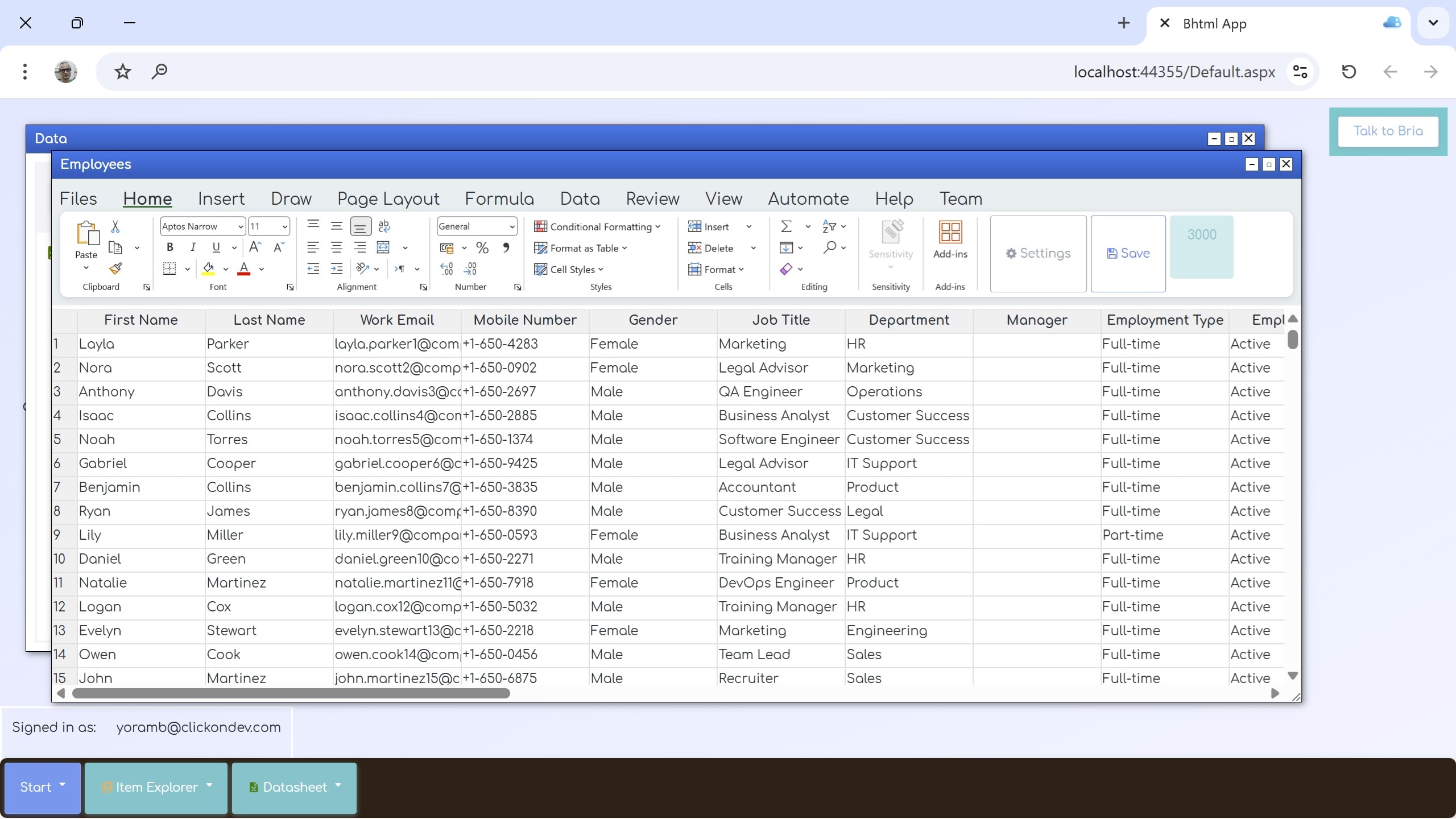
To organize the retreat, the employee creates a new folder inside HR Items named: Company Retreat 2026
This folder will contain all items, tables, and pages related to the event.
Next, the employee extracts only active employees from the HR table and sets up alerts for any changes in the roster (new employees or removals).
This can be done in two ways:
The new datasheet will not update automatically , since the organizer prefers to receive alerts and make changes manually and carefully.
The datasheet also allows adding participants manually — including those not listed in the original employee table.
The retreat will take place in three cycles in March 2026:
Employees can be reassigned between cycles for operational reasons, managerial decisions, or special requests.
After defining the need for three retreat cycles, the organizer can simply tell Bria: “The retreat is split into three cycles — March 13, March 20, and March 27. Help me organize the participants by these dates.”
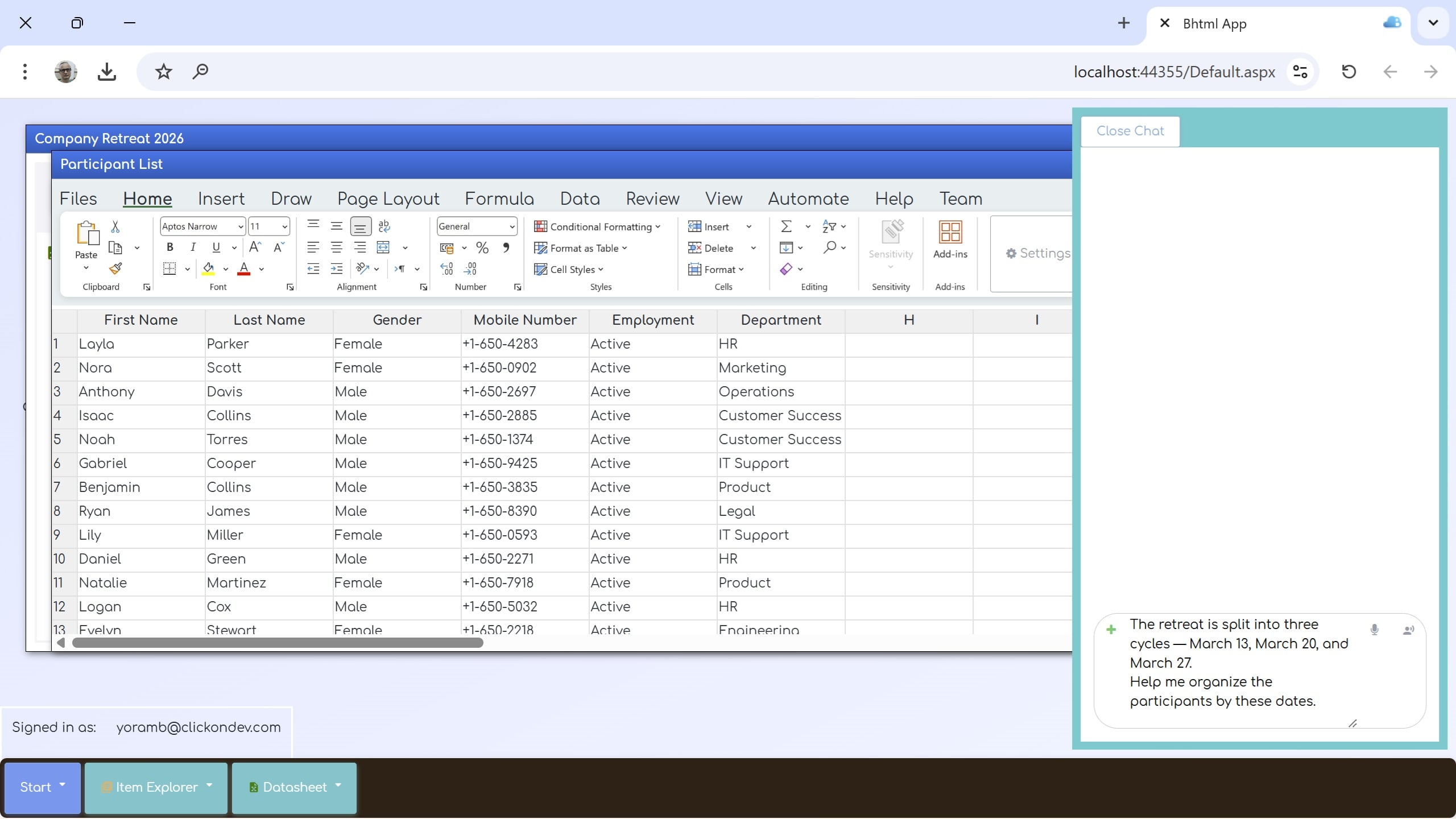
Bria will automatically create a Cycles datasheet, add the three dates, and link it to the Retreat Participants table with a Lookup field.
Alternatively, the organizer can perform this manually:
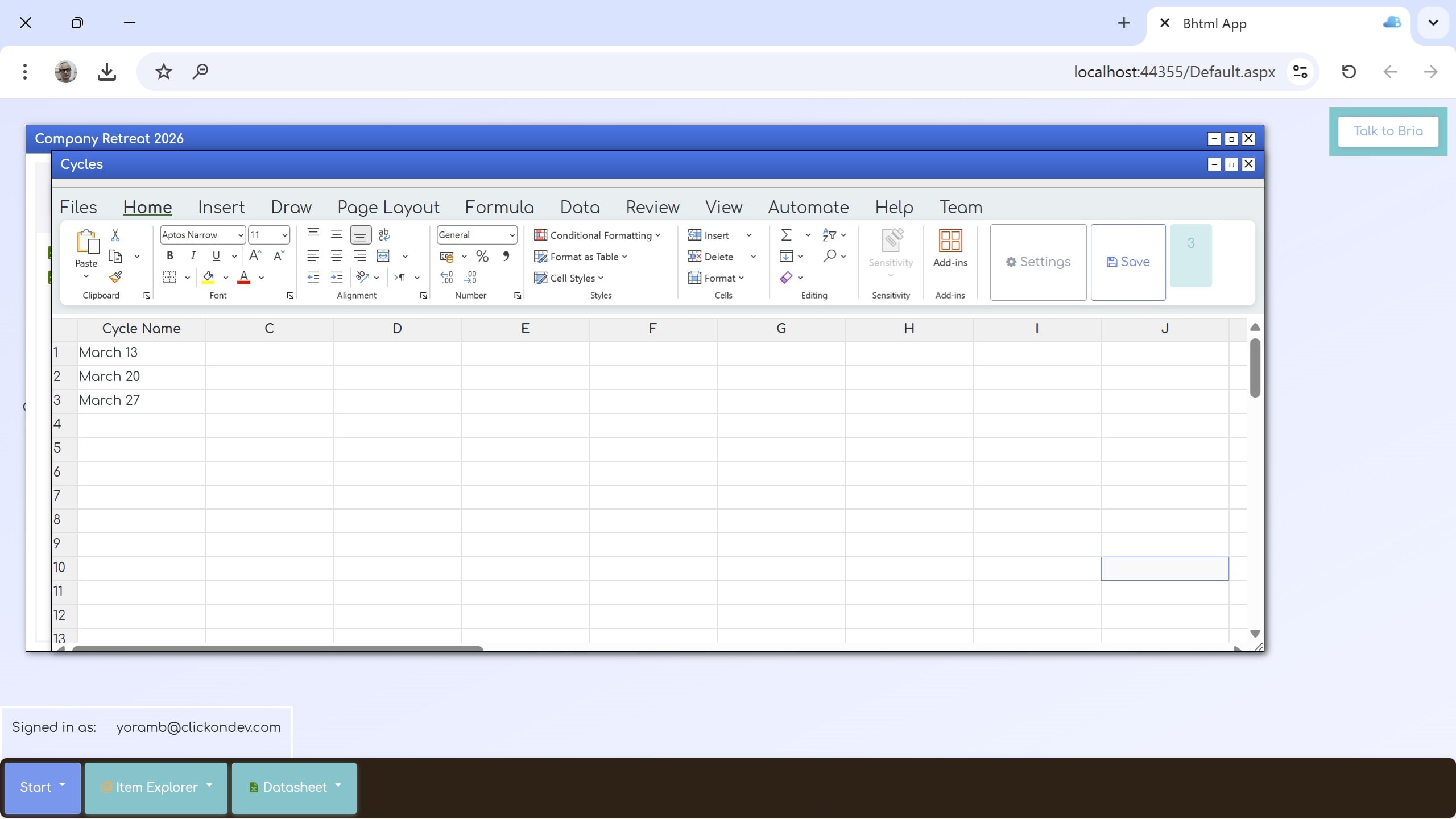
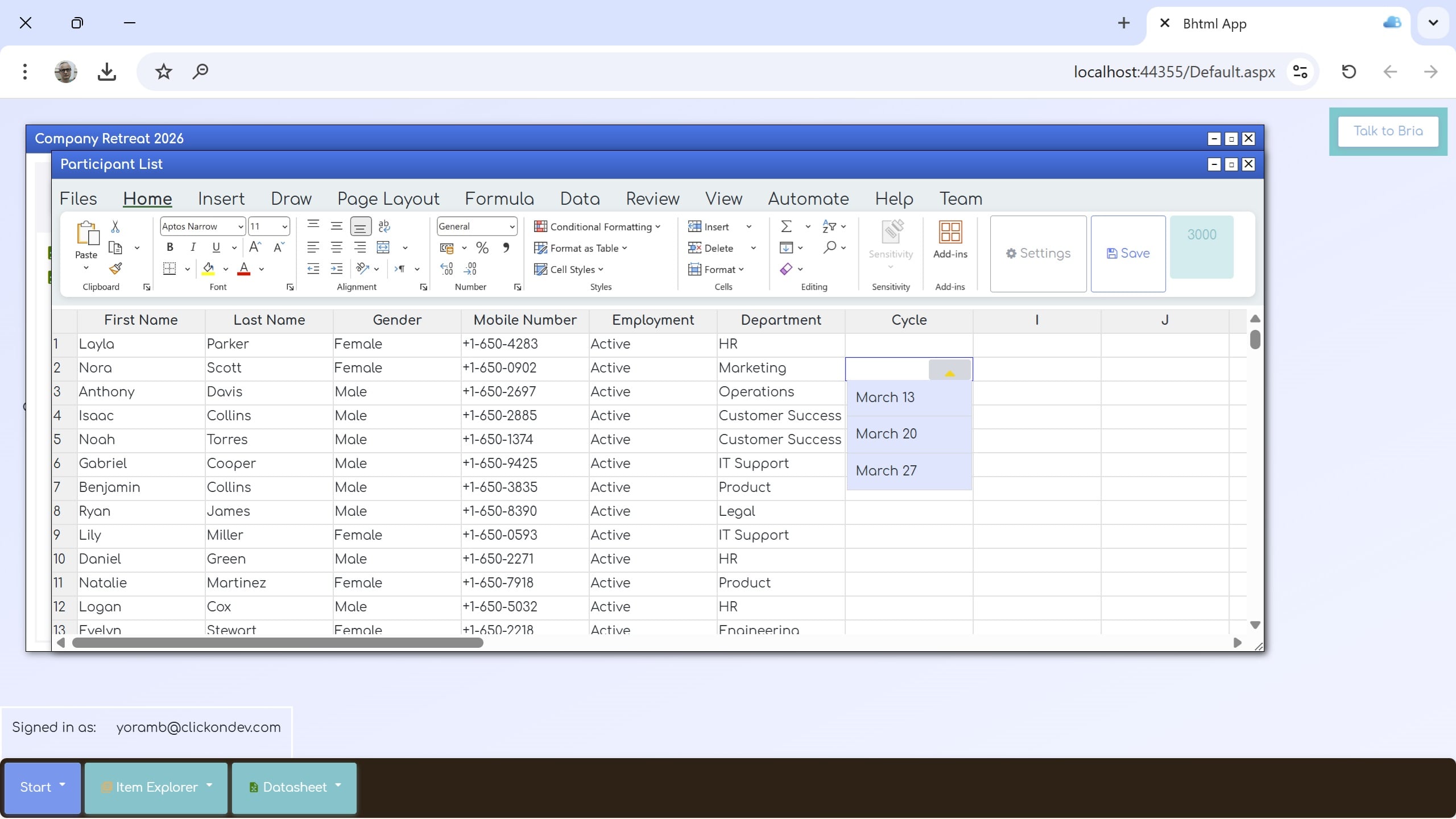
Using Bria or system menus, the organizer assigns each employee to the appropriate cycle based on their department.
From this point, cycles can be updated manually for any employee, with explanations added for each change.
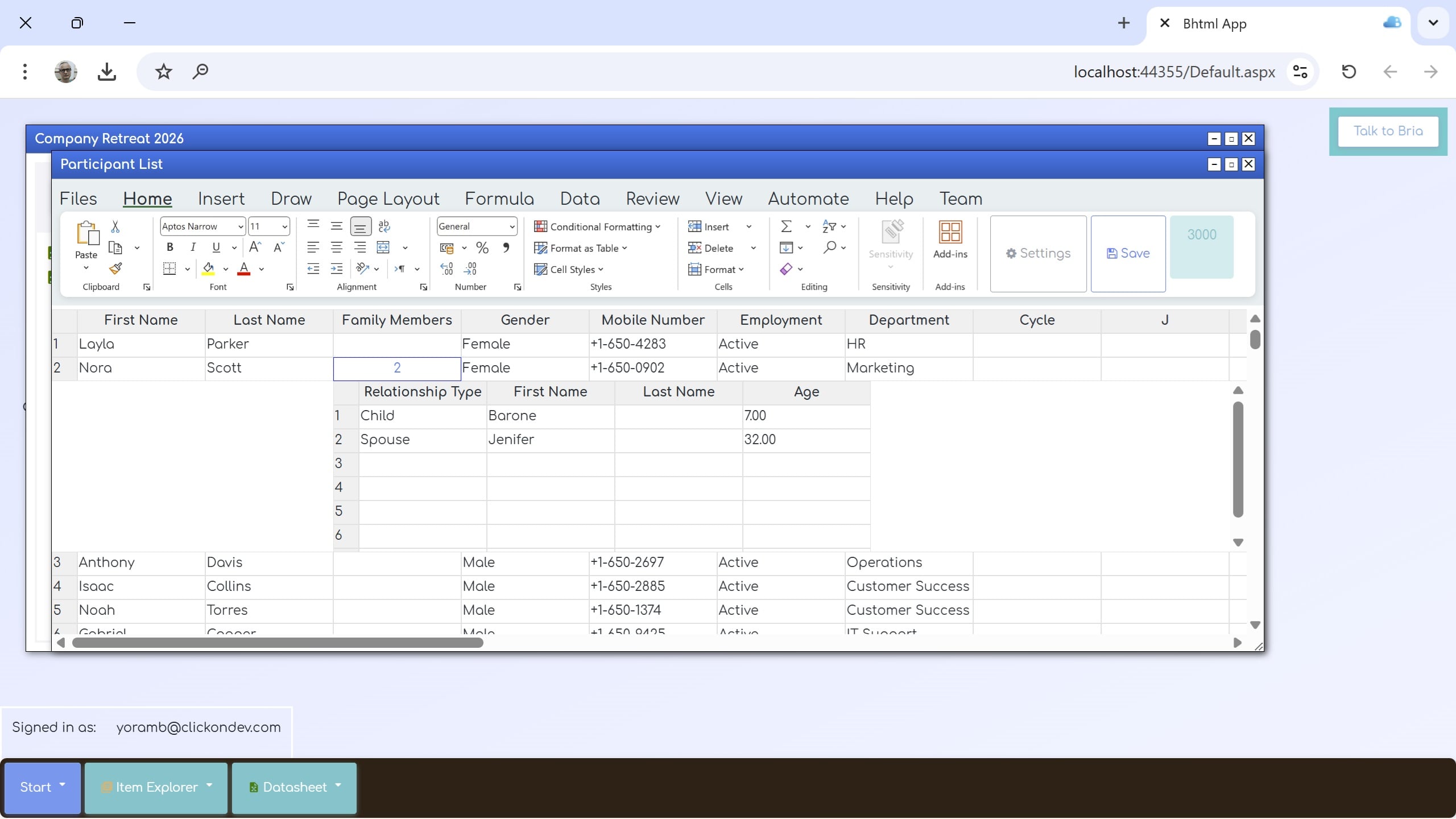
To register accompanying family members, a SubRow column named “Family Members” is added to the Retreat Participant table.
Sub-columns include:
You can view a live example of such an event portal here .
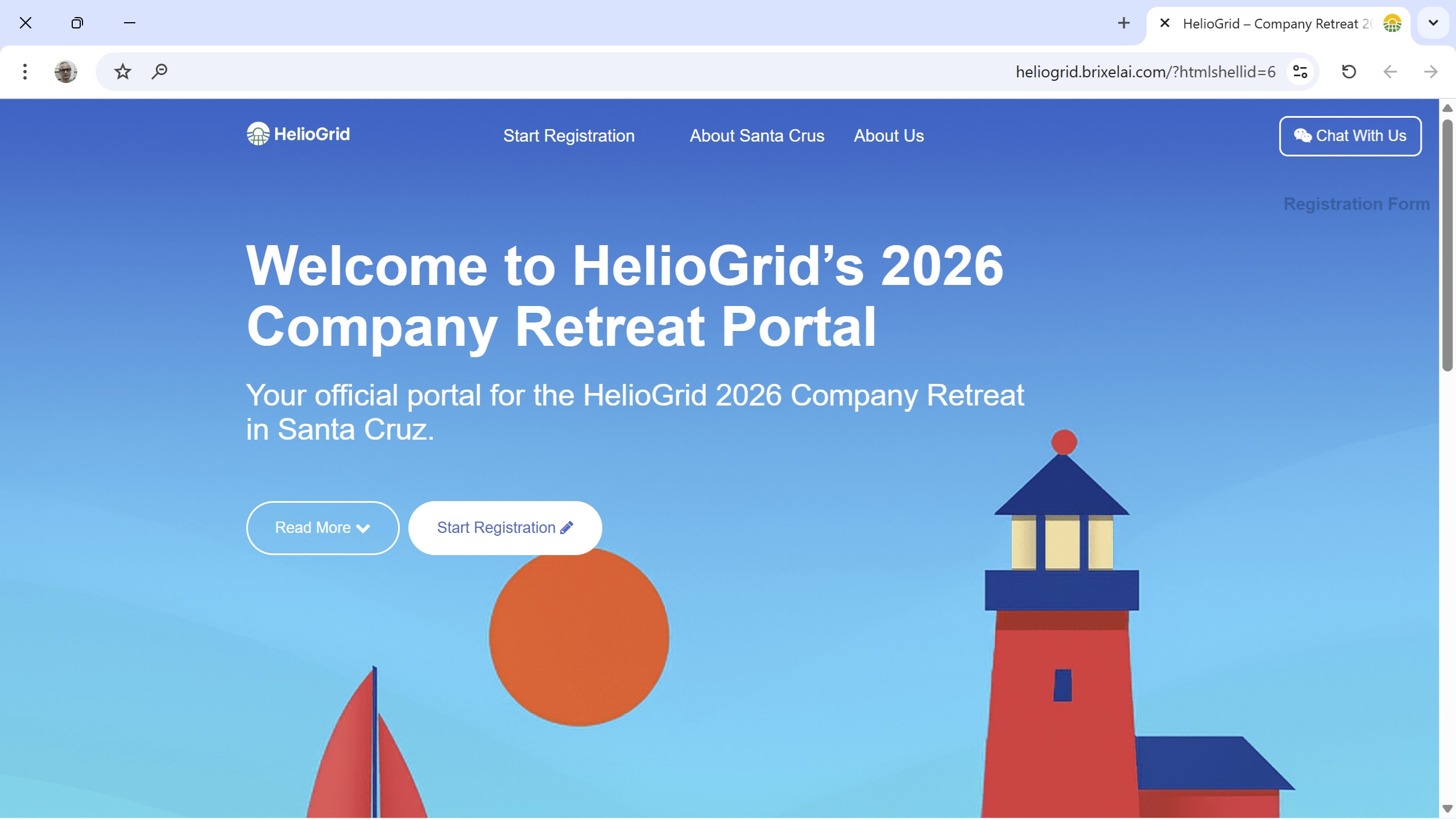
Creating a website in BrixelAI is a simple and intuitive process. You can build a fully functional site without any knowledge of HTML or JavaScript — and at the same time, BrixelAI allows professionals to apply unlimited customizations when needed.
All you need to do is ask BrixelAI to create a new website, choose a template, and select the components you want to include. From there, you can configure the unique properties of each template and component so the site fits your organization’s exact needs.
Below are examples of components used in the demo website:
This component allows content to be presented in layers — “primary information” and “additional information.”
In the demo site, the additional content is revealed only after clicking Read More, enabling a clean layout and a smooth user experience.
Forms can be linked directly to a Datasheet in BrixelAI, and each input field is automatically mapped to the appropriate column.
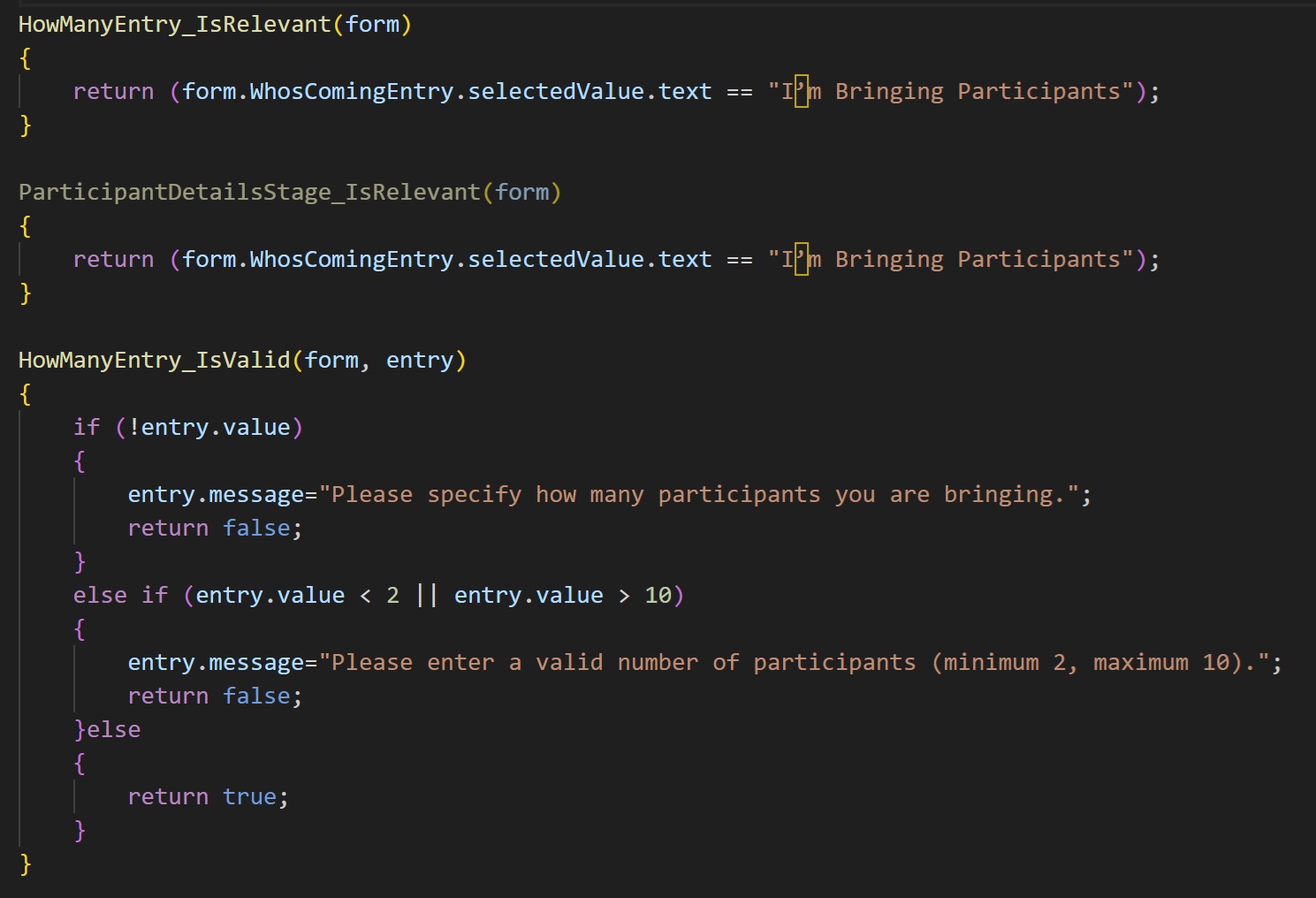
You can divide the form into steps, add explanations, and define conditional logic.
For example: in the demo site, the step for entering family member details appears only when the user selects I’m Bringing Participants.
This component allows you to define the AI Agent’s scope and provide it with relevant information.
For example:
Professionals can further customize the design or logic of any component, and even create new templates and reusable components for future events.
Web Part Editor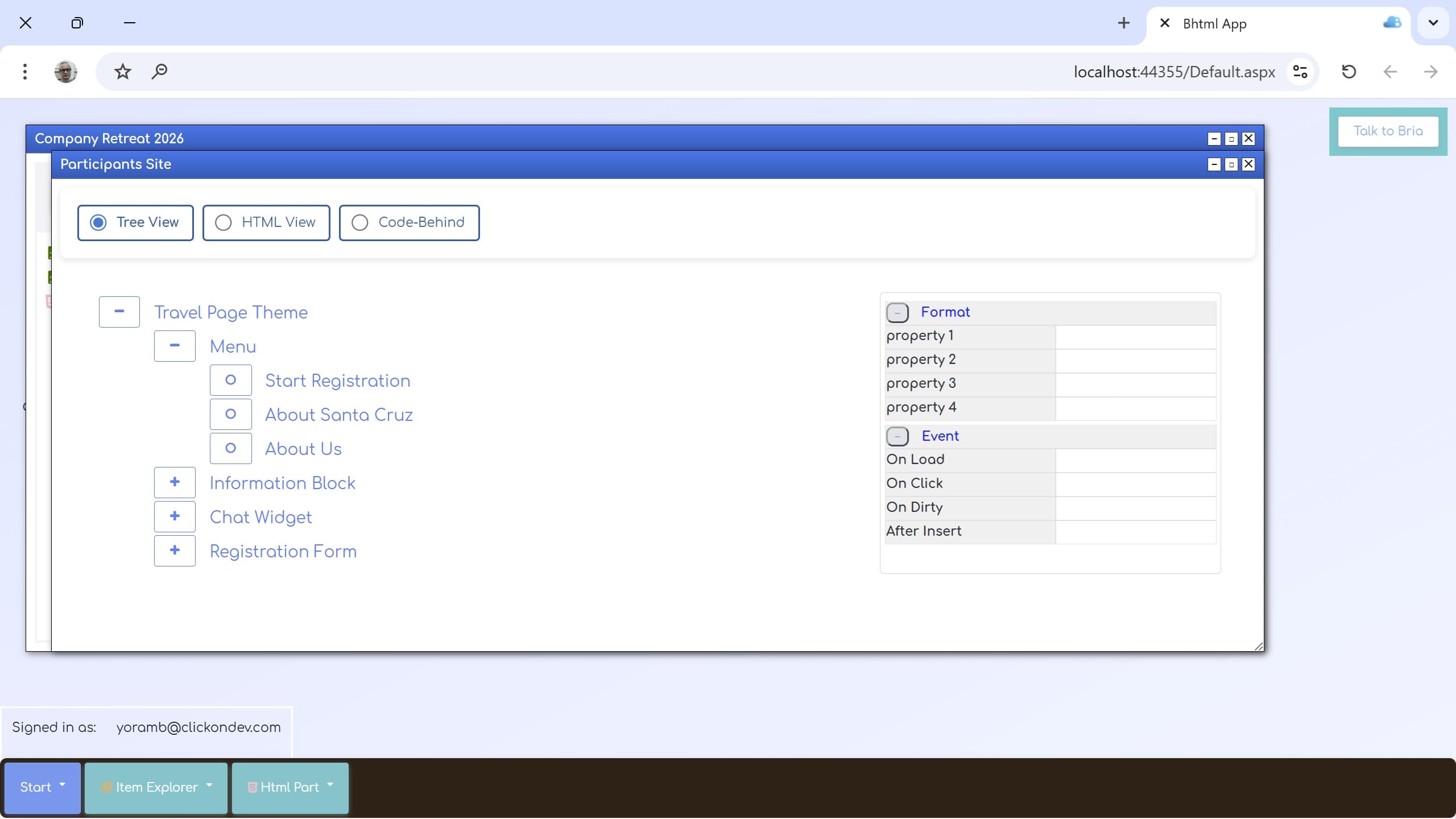
Under Construction


